
Conversation design · Explore this field ↗ · Implementation · 3 min read
Visual chatbot workflows: make state transitions inspectable
A practical way to draw branches, state changes, retries, and exits so a canvas remains an operating model rather than a decorative diagram.
See the source / a related case
Start with states, not boxes
A visual canvas earns its place when it makes the conversation’s commitments visible. Before choosing node labels, list the durable states a user can be in: collecting a delivery address, awaiting a verification code, checking eligibility, pending confirmation, completed, or handed to a person. Give each state an owner and an entry condition. A node named ‘check details’ is too vague if it might also edit an order or consume a retry. Draw the transition only when you can state what changes, what stays, and what users see next. This is the difference between a flowchart and a service contract.
Separate data from control
Keep task values distinct from the route that currently owns them. For example, address may have a value, source, validation status, and timestamp; delivery_change is the flow that asks whether that address should be applied. This prevents a new request from inheriting an old field merely because it is available in conversation history. Flowise Agentflow V2 documents explicit Flow State and requires state keys used by later nodes to be declared at the start. Treat that as a useful design discipline even outside Flowise: write the allowed keys, their types, who can update them, and when they must be cleared.
Draw guarded transitions
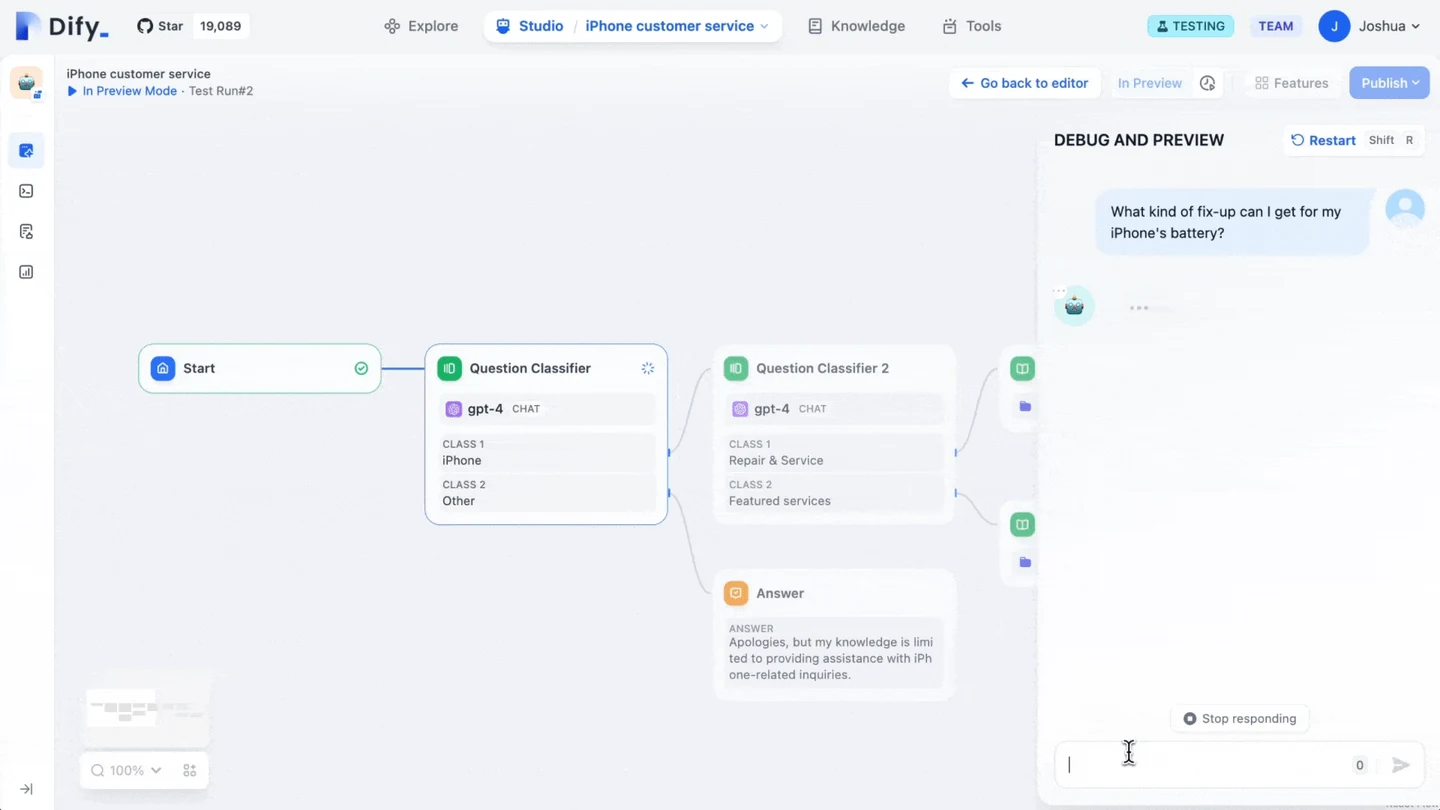
Every arrow needs a trigger and a guard. A trigger might be a submitted value, an approved tool result, a timeout, or an operator reply. A guard is the condition that makes the route valid: code verified, inventory response current, user authorized, or required field present. Put the guard at the decision point rather than burying it in a prompt. Dify’s workflow example uses an IF/ELSE branch to stop early after a defined extraction error; Rasa’s flow logic similarly exposes conditions against slots. These are platform features, not proof that a condition is well designed. Write the plain-language rule beside it and test its false path.
Make correction a first-class route
Users revise names, dates, quantities, and intent. Add a correction transition from each collection state back to the smallest safe point, not to the beginning. On return, invalidate dependent facts: changing a country may require a new tax calculation; changing an account may require a new entitlement check. Tell the user what will be rechecked. A compact state panel can show ‘address updated; delivery options need refresh’ without exposing internal variables. If a correction cannot be safely automated, preserve the proposed value as an uncommitted draft and offer a handoff instead of quietly overwriting the previous record.
Design exits before happy paths
For each state, draw cancel, silence, tool failure, invalid input, policy refusal, and human-handoff exits. Each exit should say whether work was stopped, queued, retried, or left unchanged. A timeout must not mean both ‘session expired’ and ‘we are still processing.’ Add a bounded retry counter only when the user benefits from it; otherwise repeated prompts turn a recoverable mismatch into a loop. Where a tool has started external work, route through a status check before retrying. The canvas should make duplicate actions, orphaned pending work, and unreachable states easy to spot in review.
Review the diagram as a transcript
Walk one realistic transcript through the canvas, including a correction and a failure. At every transition, ask: what did the user provide, what did the system retain, what action is now allowed, and what can the user undo? Then replay the same path with a new session and with a handoff. Keep the rendered diagram versioned with the flow configuration; screenshots alone cannot prove production behavior. The editorial recommendation here is deliberately simple: use visual builders to explain and constrain operational state, not to conceal a large prompt behind friendly arrows. Platform documentation supports the mechanics; the state model remains your team’s decision.
Primary reading
Sources and limits
These links support the architecture, policy, or product behavior discussed above. Vendor documentation describes vendor features; it is not independent proof of performance. Current details should be rechecked before a production decision.